How to connect rental turnover schedules to mobile detailing
October 8, 2026 · 11 min read · Frogman Detailing
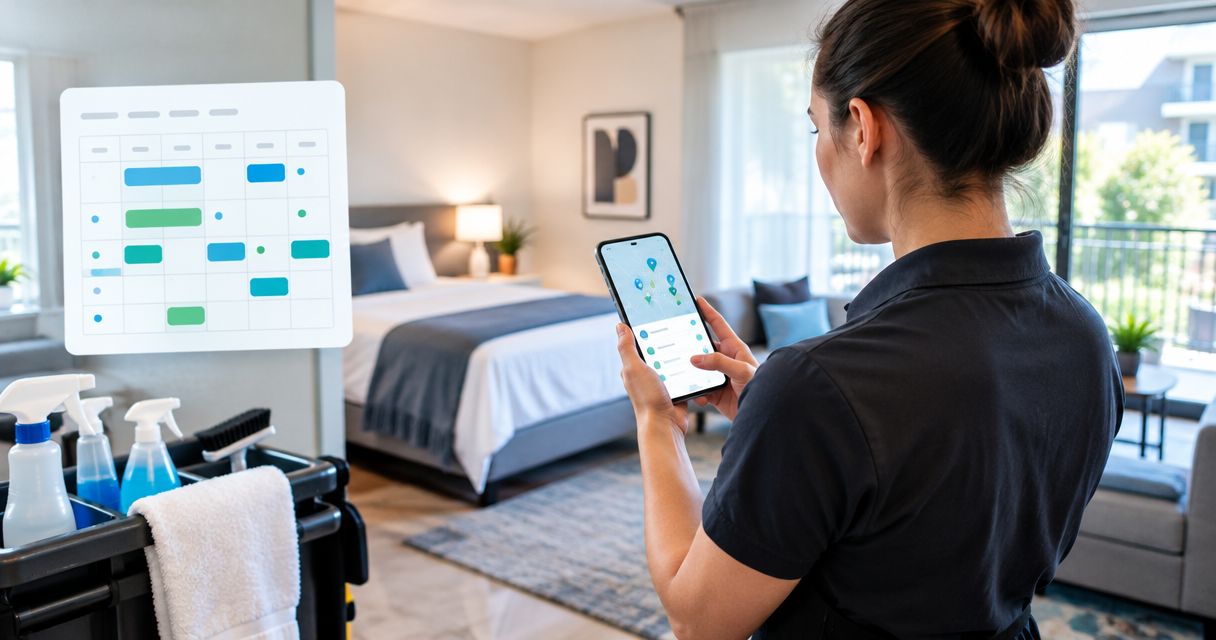
Instead of chasing rental returns and texting a detailer every time a vehicle comes back, build a rental turnover mobile detailing schedule around return checks, confirmed appointments, and pickup deadlines. Use a shared turnover sheet and Google Calendar to keep the next rental separate from the cleaning work that must happen first.
TL;DR
- Build your rental turnover mobile detailing schedule around actual vehicle returns, not reservation end times.
- Frogman Detailing brings mobile vehicle detailing to customer driveways throughout the Oklahoma City metro.
- Google Calendar records confirmed appointments; a calendar entry alone does not book a detailer.
- Keep vehicle readiness separate from detailing completion so unfinished checks do not disappear.
The return time is not the ready time
A reservation ending does not put the keys in your hand. The renter can arrive late. The vehicle can return with muddy mats, pet hair, or a spill that changes the cleaning job.
Frogman Detailing is best for Oklahoma City metro customers who want mobile vehicle detailing at their driveway. The service covers cars, trucks, and motorcycles, including customers in Edmond and Arcadia. Start with Frogman Detailing to discuss the vehicle, location, and work needed before putting an appointment on the calendar.
The advantage is the driveway service model. The limit is that your turnover calendar does not establish appointment acceptance, job duration, or whether a particular work location is suitable. Confirm those details directly.
For your 2026 rental operation, keep three facts separate: when the vehicle is expected back, when detailing is confirmed, and when the vehicle is cleared for pickup. Treating those as one event hides the handoffs that cause trouble.
Before you start
- Get editing access. You need access to the rental return schedule, a shared turnover sheet, and the calendar used by whoever manages vehicle preparation. Choose one person to maintain the record.
- Gather the job details. Record a vehicle identifier, expected return, next pickup, cleaning concerns, work address, access instructions, and the person who can provide keys. Confirm site permission and any water or electricity requirements with the detailer.
- Check the booking gap. An event in Google Calendar is not an accepted detailing appointment. Keep tentative work separate from confirmed work, and do not assume the rental system sends changes to the detailer.
This guide uses a manual connection between your rental schedule and your detailing calendar. It does not require a booking-system integration. You control each handoff and can check whether it happened.
Set up the vehicle record
Build the turnover sheet
- Create a shared spreadsheet. Use one row for each vehicle turnover, rather than reusing a row for every rental of the same vehicle.
- Add the column headings below. These are custom headings you create, not built-in booking software fields.
- Assign a turnover reference that stays unchanged when a return time moves. Combine your vehicle identifier with an internal rental reference, without including the renter's personal information.
- Give one person responsibility for updating the row. Other staff can report changes, but the owner keeps the schedule consistent.
| Custom heading | What you enter | Why it belongs |
|---|---|---|
| Vehicle ID | Your internal vehicle identifier | Prevents work being assigned to the wrong vehicle |
| Turnover reference | A unique reference for this return | Connects the sheet, appointment, and handoff |
| Expected return | Scheduled return date and time | Starts the planning window |
| Actual return | Date and time the vehicle arrives | Establishes when inspection can begin |
| Next pickup | The next committed collection time | Defines the preparation deadline |
| Cleaning scope | Observed condition and requested work | Gives the detailer useful job information |
| Appointment status | Requested, confirmed, changed, or canceled | Separates planning from an accepted appointment |
| Vehicle status | Awaiting return, inspection, cleaning, or ready | Keeps rental readiness visible |
| Work location | Address and access instructions | Tells everyone where the vehicle will be |
| Owner | Person responsible for this turnover | Makes the next action someone's job |
Keep the sheet focused. It is a preparation record, not a copy of the rental agreement. Leave payment information, driver's license details, and other renter records in the system meant to hold them.
Expected result: Each turnover has one identifiable row, one owner, and separate appointment and vehicle statuses. A colleague can tell what is waiting without reading a text thread.
Define the handoffs
- Mark the vehicle Awaiting return while it is still with the renter.
- After arrival, record Actual return and move the vehicle to Inspection.
- Inspect the cabin, mats, cargo area, and exterior. Describe what you see instead of writing only “needs detailing.”
- Send the observed condition and available work window to the detailer. Change Appointment status to Requested until the appointment is accepted.
Crumbs and a sticky cup holder are useful observations. “The usual” is not. A new stain or strong odor belongs in the request before the work begins.
For a 2026 turnover template, define these statuses in a short note beside the sheet. That stops different staff members from giving the same label different meanings.
Expected result: The cleaning request reflects the vehicle that actually returned, and nobody mistakes a request for a confirmed job.
Configure the detailing appointment
Create the calendar event
- Open Google Calendar and select Create, then Event.
- Enter a title containing the vehicle identifier, turnover reference, and appointment status. Use “Tentative” until the detailer confirms the appointment.
- Enter the proposed start and end times. Use a duration discussed with the detailer, not an assumed standard detailing time.
- Enter the actual work location. Include the parking position and key-access instructions in the event description.
- Add the cleaning scope, turnover reference, responsible person's contact details, and next pickup deadline to the description. Include only information needed to perform or coordinate the job.
- Select Save. After the detailer accepts the appointment, update the event title and sheet to Confirmed.
Do not treat an invitation as acceptance. Confirm through the communication method agreed with the detailer. Share calendar access only when both sides want that arrangement.
Expected result: The calendar shows the accepted work window, the correct vehicle, and the location. The turnover sheet shows the same appointment status.
Protect the pickup deadline
Work backward from the next pickup, but do not promise a cleaning duration you have not confirmed. Leave room for your return inspection and any post-detail checks that your operation requires.
Here is a planning example, not a Frogman Detailing service estimate:
- Expected vehicle return: 9:00 a.m.
- Next renter pickup: 3:00 p.m.
- Gross turnover window: 6 hours.
Those six hours are not automatically available for detailing. Arrival delays, inspection, key transfer, cleaning, and readiness checks all draw from that window. Ask the detailer whether the proposed job fits before committing the vehicle to its next handoff.
For your 2026 schedule, record the confirmed work window rather than filling the entire gap with a detailing event. That keeps the calendar honest.
Expected result: Your appointment sits inside a workable turnover window, and the next pickup deadline is visible to the person coordinating the job.
Verify the return and release
Run the arrival check
- Confirm that the vehicle is physically at the agreed location. Check that someone can provide access and keys.
- Compare its condition with the cleaning scope already sent. Report new stains, excessive debris, or other changes before work starts.
- Recheck the next pickup deadline. If the return is late, ask whether the appointment still fits instead of silently shortening the job.
- Update the sheet and calendar together when either the location or appointment changes.
Expected result: The detailer has a vehicle to work on, the access details are correct, and the requested work matches its current condition.
Close the handoff
- Record when the detailing work is complete. Keep Vehicle status separate from Appointment status.
- Check the agreed cleaning scope against the vehicle. Raise unfinished items before marking the turnover ready.
- Check that cleaned surfaces are suitable for handoff. Follow any drying or aftercare instructions given for the work performed.
- Complete your normal rental readiness checks, then mark the vehicle Ready. Detailing completion does not replace your mechanical, damage, or rental-document checks.
Expected result: “Ready” means the vehicle has passed your handoff process. It does not mean somebody closed a calendar event.
The 2026 workflow is simple: Return check, Appointment confirmation, Detailing, Release check. Keep every stage visible.
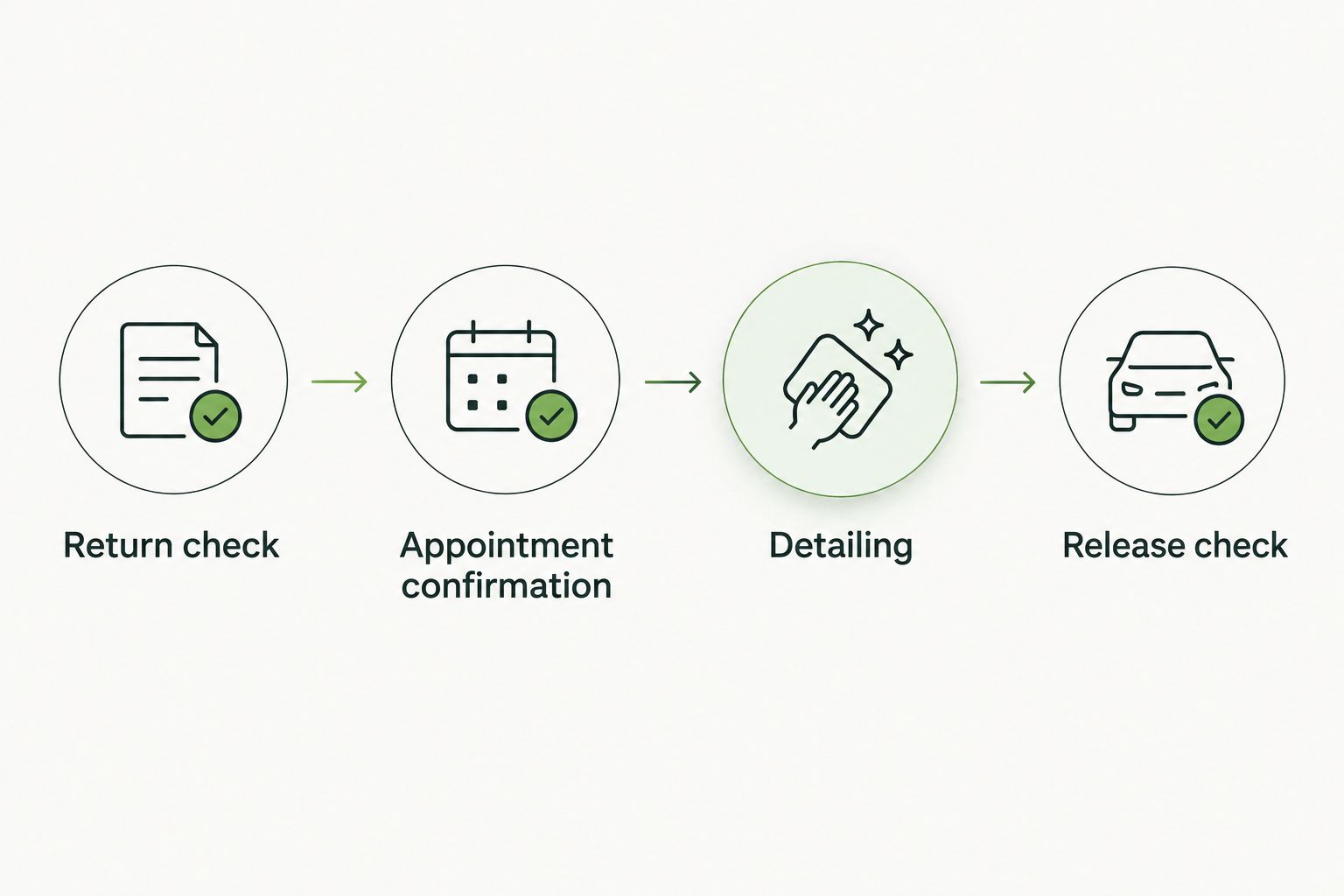
The release check stays separate from detailing completion.
Update the workflow when a return changes
A changed return needs a changed plan. It does not need a second disconnected appointment.
- Update Expected return in the existing turnover row. Keep the turnover reference unchanged.
- Compare the revised return with the confirmed detailing start and next pickup.
- Contact the detailer if the vehicle will miss the work window or the available time has changed.
- Update the existing calendar event after agreeing on the change. Record the revised appointment status in the sheet.
- Tell the person handling the next pickup whether vehicle readiness is affected.
Do not create a replacement event and leave the old one active. That gives staff two versions of the same job and leaves someone expecting a vehicle that is not there.
For repeated returns, choose the scheduling method that matches the rental pattern:
| Workflow | Best for | Advantage | Limitation |
|---|---|---|---|
| Return-based appointment | Vehicles with changing rental periods | Uses the actual turnover window | Requires confirmation for each job |
| Recurring preparation window | Vehicles with a stable return pattern | Reserves planning space on your calendar | Still requires service agreement and condition checks |
A recurring calendar event is a planning aid. It is not a standing agreement with Frogman Detailing unless that arrangement has been confirmed directly.
For a repeating calendar placeholder, create an event and use Does not repeat, then Custom to set the pattern. Label it as a planning window until you have an agreed service arrangement. Remove exceptions when a vehicle stays out longer or has no scheduled return.
Fix the failures that actually stop turnover
The vehicle returns after the appointment starts
Contact the detailer as soon as the delay becomes known. Reconfirm the work window and next pickup plan. Do not mark the vehicle available while its cleaning and release checks are unfinished.
The calendar and sheet show different times
Choose the turnover sheet as the record for rental deadlines and the calendar as the appointment view. Have the turnover owner reconcile both whenever a change is agreed. Check the calendar's time zone if an event appears shifted.
Nobody can open the vehicle
Put key-access responsibility in the event description. Confirm access before the appointment, not when the detailer arrives. Avoid publishing sensitive access information on a broadly shared calendar.
The cleaning job is bigger than the request
Send updated observations and ask for a revised scope and work window. Do not assume pet hair, heavy soil, and an ordinary cleanup require the same process. A packed calendar does not make a difficult interior easier.
The vehicle is clean but not ready
Leave Vehicle status short of Ready until the remaining check is complete. Identify the outstanding task and its owner. Clean seats do not resolve a damage report or an unresolved vehicle issue.
Customize your workflow
Keep the same core record as the operation grows. Add a field only when it answers a real coordination question, such as who inspected the return or where the keys were handed over.
If you add software automation in 2026, start with an internal reminder when a return changes. Test it against a canceled rental, a delayed return, and a vehicle swap before relying on it. Automate the reminder, not the assumption that an appointment is accepted.
Frogman Detailing's mobile vehicle detailing fits a driveway-based handoff. Confirm other proposed work sites directly, especially shared parking areas where permission and access need sorting out first.
Keep condition notes factual. “Dog hair on rear seats” helps someone plan. “Disaster inside” mostly tells them you had a long morning.
FAQ
How do I build a rental turnover mobile detailing schedule?
Create one turnover record per return, confirm a detailing appointment, and put the accepted work window on your calendar. Keep the next pickup deadline and vehicle readiness status separate from appointment completion.
Does adding detailing to Google Calendar book the appointment?
No. A Google Calendar event records your plan; the detailer must accept the appointment through an agreed communication method.
Can Frogman Detailing come to my driveway between rentals?
Frogman Detailing provides mobile car, truck, and motorcycle detailing at customer driveways throughout the Oklahoma City metro, including Edmond and Arcadia. Confirm the proposed appointment, vehicle condition, and work location directly.
How much time should I leave between a rental return and pickup?
Leave enough time for arrival, inspection, the agreed detailing work, and your release checks. Confirm the cleaning window with the detailer rather than using a fixed duration for every vehicle.
What should I do when a renter returns the car late?
Update the existing turnover record and contact the detailer to reconfirm the appointment. Reassess the next pickup deadline before marking the vehicle ready.
Is a recurring detailing event better than booking each return?
A recurring planning window suits stable return patterns; individual appointments suit changing rental periods. Neither method confirms a service appointment without the detailer's agreement.
What details should I share with the mobile detailer?
Share the vehicle identifier, observed cleaning needs, work location, access instructions, available work window, and next pickup deadline. Leave unrelated renter and payment information out of the detailing record.
One last thing
Make Ready the hardest status to earn. A completed appointment proves that the scheduled work ended, not that the next renter can collect the vehicle.
Keep the release check separate. That small distinction prevents a neat calendar from hiding an unfinished turnover.
Related guides
Frogman comes to your driveway across the Oklahoma City metro.