How to add mobile detailing to your company vehicle policy
October 9, 2026 · 12 min read · Frogman Detailing
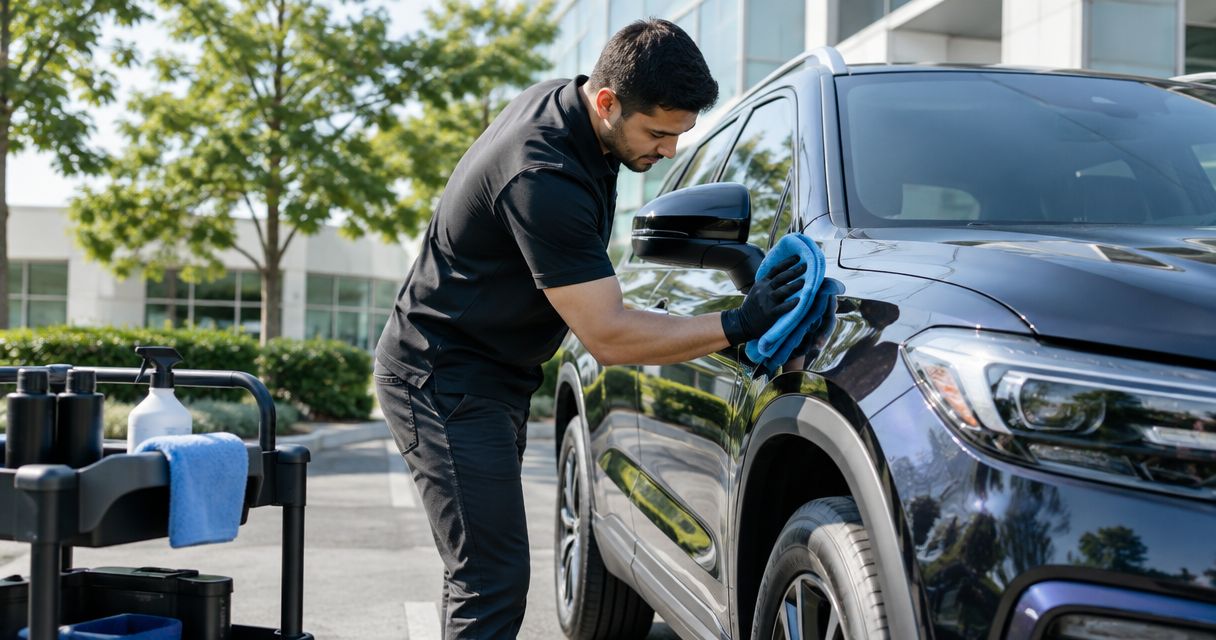
Instead of manually chasing dirty vehicles and appointment requests, add a company vehicle detailing policy that assigns an owner, defines cleaning triggers, and records completed work. Use the workflow below to connect driver reports, manager approval, and mobile detailing without turning every spill into a meeting.
TL;DR
- A company vehicle detailing policy needs clear cleaning triggers, an approval owner, and a completion record.
- Frogman Detailing serves Oklahoma City metro customers seeking driveway-based mobile detailing.
- Use scheduled inspections for routine fleet care and condition reports for unexpected messes.
- Confirm site permission, vehicle access, and utility requirements before booking mobile detailing.
Why this matters
A dirty company vehicle creates an ownership problem before it creates a scheduling problem. The driver assumes the office will handle it. The office assumes the driver already did. Meanwhile, yesterday's coffee is becoming part of the upholstery.
Your policy should make the next action obvious, not promise that every vehicle stays spotless. Separate everyday driver housekeeping from work that requires a detailer. Then give each task an owner.
Frogman Detailing is a fit for Oklahoma City metro customers who want mobile vehicle detailing at their driveway. The veteran-owned service covers cars, trucks, and motorcycles, including customers in Edmond and Arcadia. For company vehicles, confirm the proposed location and scope before treating an appointment as approved.
Mobile service removes the trip to a detailing location. It still requires vehicle downtime, access, and a suitable work area. Put those requirements into your 2026 vehicle policy instead of leaving the dispatcher to sort them out on appointment day.
Before you start
- Gather the records and access. Have your vehicle list, driver assignments, existing vehicle policy, shared calendar, and purchasing approval process available. Assign one person who can edit the policy and approve requests.
- Define the work before choosing a schedule. List the cleaning problems you need addressed, the vehicle materials involved, and the locations where service would happen. Ask the provider to confirm the scope and any exclusions.
- Check the site before booking. Permission to park is not permission to wash or detail. Confirm property permission, drainage restrictions, utility needs, key access, and whether the vehicle can remain parked throughout the appointment.
The quiet gotcha is access. A vehicle can be on the calendar and still be across town with its driver. Your policy needs a vehicle release procedure, not just an appointment reminder.
Vehicle standards and cleaning triggers
Start with a standard drivers can inspect. Avoid phrases such as immaculate condition or clean at all times. Those sound strict and tell people very little.
Set the cleaning standard
- List covered vehicles. Identify company-owned and company-leased vehicles separately from employee-owned vehicles used for work. State which group the policy covers. Do not quietly extend a company fleet rule to personal cars.
- Assign daily housekeeping. Require drivers to remove personal rubbish, report spills, and keep loose items out of the driving area. Tell drivers which cleaning tasks they can perform themselves and which require approval.
- Define detailing triggers. Use observable conditions: embedded dirt, persistent odor after rubbish removal, heavy pet hair, or a vehicle handover that requires cleaning. Record the affected area rather than requesting a full detail by default.
- Separate cleaning from safety and repairs. A chemical spill, damaged seat belt, warning light, or water leak needs the appropriate maintenance or safety response. Detailing is not a repair authorization.
Expected result: A driver can inspect the vehicle and determine whether to tidy it, submit a detailing request, or report a maintenance issue.
Choose your routine workflow
These are policy approaches, not service packages. Choose the approach that fits how your vehicles are used.
| Policy approach | Best for | Advantage | Limitation |
|---|---|---|---|
| Scheduled inspection | Vehicles used regularly by the same team | Makes condition checks predictable | An inspection date does not prove detailing is needed |
| Condition-triggered request | Vehicles with uneven use or occasional heavy mess | Connects service to an actual problem | Depends on drivers reporting issues promptly |
| Handover-triggered inspection | Shared vehicles and changing driver assignments | Records condition when responsibility changes | Needs coordination with vehicle release and collection |
Use a scheduled inspection as the baseline, then allow condition-triggered requests between checks. Add handover inspections where vehicles change drivers. You do not need separate paperwork for each approach. One request record can capture the trigger.
For the 2026 rollout, test the process on 1 vehicle before applying it across the covered fleet. That is a pilot scope, not a cleaning-frequency recommendation. Check whether the driver can report a problem and the manager can act without chasing missing information.
Request record and approval rules
Keep the record short enough that drivers will actually complete it. A long form usually produces a short message saying the truck needs cleaning. You are back where you started.
Build the request record
The bold labels below are suggested fields for your own form or spreadsheet. They are not buttons in a particular software product.
- Add Vehicle ID, Assigned driver, and Request date. Use your existing fleet identifier so records stay attached to the vehicle when drivers change.
- Add Cleaning trigger, Affected area, and Condition notes. Ask for a description such as dried mud on rear floor mats rather than simply dirty.
- Add Requested location, Vehicle release window, and Key holder. These fields expose access problems before anyone books an appointment.
- Add Approval owner, Approved scope, and Status. Use a small set of statuses: Requested, Approved, Booked, Completed, and Follow-up needed.
Expected result: Each request identifies the vehicle, explains the problem, and names the person responsible for the next action.
Keep photos focused on the affected surface. Remove paperwork, customer details, and personal belongings from view. Follow your company's rules for storing images and sharing vehicle information with outside providers.
Define who approves what
- Name the approval role. Use a role such as fleet manager or office manager, then identify the current person and a backup. A role survives staff changes better than a policy built around one name.
- Require scope approval before booking. Describe the cleaning work authorized. Any additional work goes back to the approval owner rather than becoming a driver's decision at the vehicle.
- Keep purchasing approval separate. Follow the company's existing spending controls. A detailing policy should not create an unofficial purchasing exception.
- Write the exception route. Explain who handles urgent messes, disputed damage, and work outside the approved scope. Do not instruct drivers to improvise cleaning on an unknown material.
Expected result: The person scheduling the appointment knows what is authorized and when to stop for another decision.
Appointment coordination and vehicle access
An approved request is not a confirmed appointment. Keep those stages separate. Otherwise, the calendar starts making promises nobody agreed to.
Confirm the service location
- Send the condition notes to the provider. Ask whether the requested work is suitable for the vehicle and whether inspection is needed before the scope can be confirmed.
- Confirm the location directly. Frogman Detailing provides mobile detailing at customers' driveways throughout the Oklahoma City metro. Do not assume a company yard, restricted lot, or employee address is accepted without asking.
- Confirm site requirements. Ask about water, electricity, working space, and weather arrangements. Use the guide to mobile detailing water and electricity requirements to prepare your questions, not to replace the provider's confirmation.
- Get the vehicle release window agreed. Confirm when the vehicle must be parked, who holds the keys, and who can approve any requested change. Do not schedule the same vehicle for a work trip during that window.
Expected result: The provider, driver, and scheduler agree on where the work will happen and how the vehicle will be accessed.
Add the appointment to your calendar
- Create one appointment record. Include the vehicle identifier, confirmed location, key holder, and approved scope. Keep sensitive access instructions out of broadly shared calendar descriptions.
- Invite the responsible people. Include the driver or key holder and the scheduling owner. Use your calendar's existing reminder settings rather than assuming an unverified integration will notify everyone.
- Block the vehicle's operating schedule. Mark the vehicle unavailable for dispatch during the agreed service window. A calendar invite alone does not prevent another team from assigning it.
- Record the confirmation. Change Status to Booked only after the provider confirms the appointment. If the appointment changes, update the request record and operating schedule together.
Expected result: There is one confirmed appointment, one access contact, and no conflicting vehicle assignment.
The workflow is simple: report the condition, approve the scope, book the work, and check completion. Every stage hands responsibility to a named person.
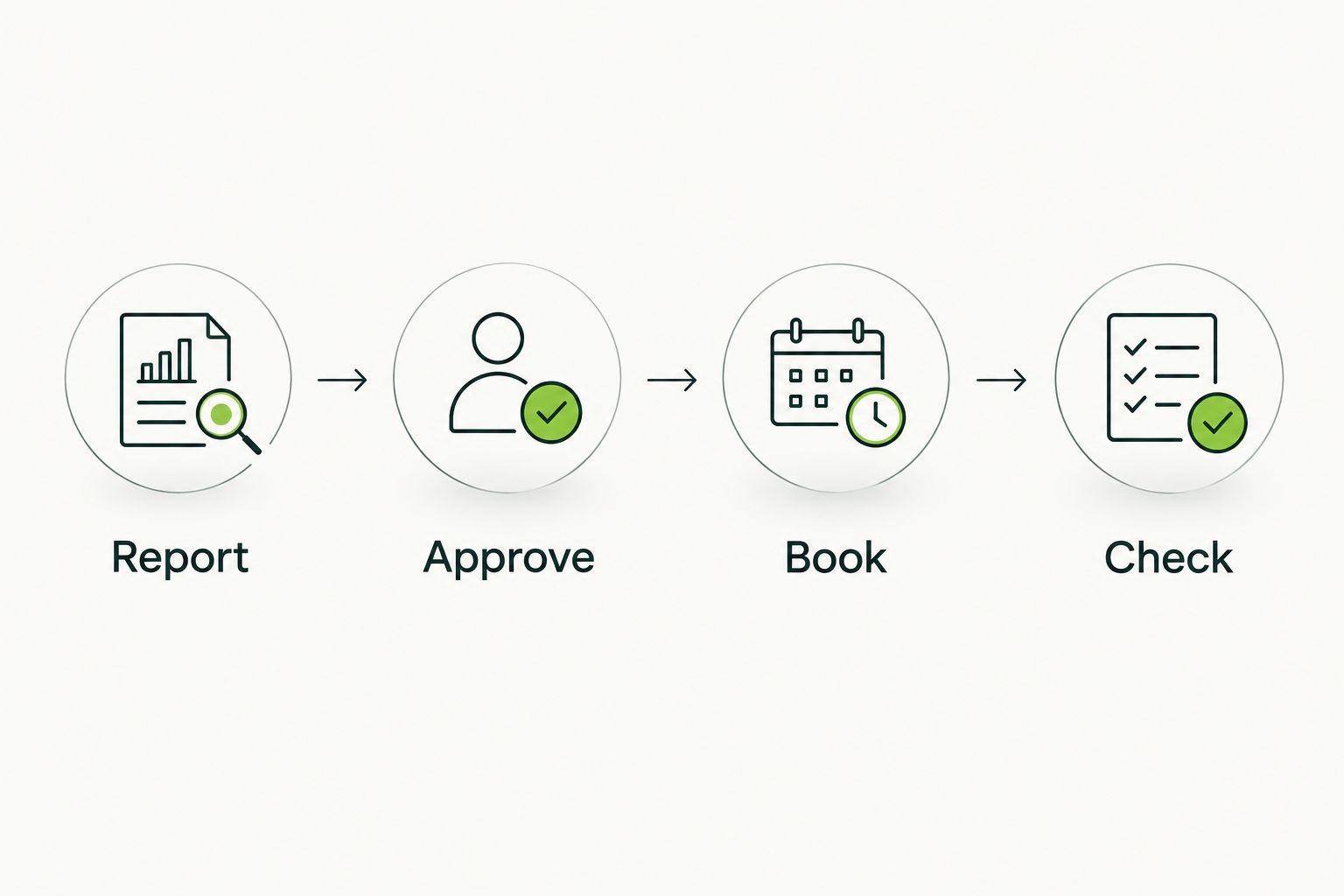
Approval comes before booking. Completion gets checked afterward.
Completion record and policy rollout
Do not close a request because the appointment time has passed. Close it because someone checked the agreed work. That distinction prevents unfinished jobs from disappearing into the calendar.
Check and record the work
- Inspect against the approved scope. Check the areas listed in the request. Do not judge an interior-only job against an exterior cleaning standard.
- Complete 2 checks. Confirm that the agreed cleaning work is complete, then note any unresolved issue. These are recordkeeping checks, not a promise about service results.
- Record the outcome. Add Completion date, Checked by, and Follow-up notes. Store the invoice or service record according to your company's document rules.
- Update the status. Use Completed when the agreed work is accepted. Use Follow-up needed when something requires discussion. Keep new damage concerns separate from routine cleaning notes.
Expected result: The request shows what was approved, what was completed, and whether anyone still needs to act.
Add the rule to your vehicle policy
Use the following as a draft to adapt. It is proposed policy language, not a statement about any provider's terms.
Drivers must remove personal rubbish and report cleaning issues through the company vehicle request process. The designated approval owner reviews detailing requests and authorizes the scope before booking. The scheduler confirms the location, vehicle release window, and key holder with the provider. The assigned checker records completion or follow-up needs before closing the request. Detailing approval does not authorize repairs or additional services.
Give the policy a version label such as Vehicle care policy 2026. Assign a review owner. Have the people responsible for employment rules, purchasing, and site use review the relevant parts before adoption.
When a company vehicle changes drivers
A driver change is a second useful trigger. It catches messes that neither the departing driver nor the incoming driver should have to argue about later.
- Inspect before reassignment. Record the interior and exterior condition using the same vehicle identifier and condition fields.
- Create a request only when needed. A handover inspection does not automatically justify a full detail. Authorize the work required by the recorded condition.
- Coordinate release and collection. Confirm which person retains the keys and when the incoming driver needs the vehicle.
- Attach the completion record to the handover. Keep cleaning notes distinct from damage inspection and mechanical sign-off.
Expected result: The incoming driver receives a documented vehicle condition rather than inheriting an unexplained cleaning problem.
Keep the handover procedure inside the same 2026 policy. Separate documents invite conflicting rules.
Troubleshooting
The driver takes the vehicle before service
Fix the dispatch block and access ownership. Assign a key holder, mark the vehicle unavailable in the operating schedule, and confirm release with the driver. Do not rely on an unattended calendar invitation.
The detailer cannot work at the chosen site
Resolve permission and site requirements before rebooking. Ask which requirement failed, then confirm an acceptable location. Do not move the appointment to another lot without checking that property's rules.
Drivers request a full detail for every mess
Require an affected area and condition description. The approval owner should authorize a scope that matches the problem. A stain on one seat is a request for assessment, not automatic approval for every cleaning service.
The same odor or stain keeps returning
Look for the source before ordering another cleaning. Check for remaining rubbish, repeated spills, or a suspected leak. Refer mechanical issues to maintenance. More fragrance is not a diagnosis.
Nobody knows whether the job is finished
Assign the checker before the appointment. Require a completion date and outcome. An invoice records a transaction; it does not replace your company's acceptance check.
Customize your workflow
Expand only after the basic process works. Add department ownership, vehicle-use categories, or handover triggers when those fields help someone make a decision. Do not collect information nobody uses.
Frogman Detailing's mobile service gives local customers an alternative to driving to a detailing location. Its company-vehicle fit still depends on confirming the proposed site, scope, and scheduling arrangements. Keep those confirmations in the request record.
For your 2026 policy review, inspect the records for missing approvals, failed access, unresolved work, and scheduling conflicts. Change the rule causing the problem. Do not add a reminder to compensate for unclear ownership.
FAQ
What should a company vehicle detailing policy include?
A company vehicle detailing policy should define covered vehicles, cleaning triggers, approval ownership, appointment access, and completion records. Keep everyday driver housekeeping separate from work requiring a detailer.
How often should company vehicles be detailed?
Set detailing frequency from vehicle use and observed condition rather than one universal interval. Scheduled inspections can identify needs, while spill reports and driver handovers provide additional triggers.
Can mobile detailing happen at our company parking lot?
Use a company parking lot only after confirming property permission and the provider's site requirements. Parking access alone does not establish permission for detailing or confirm suitable drainage, utilities, and working space.
Who should approve detailing for a company vehicle?
Assign approval to a named company role with authority over vehicle care and purchasing. Drivers report the condition, while the approval owner authorizes the scope before booking.
Should employees clean company vehicles themselves?
Employees can handle the basic housekeeping tasks your policy assigns, such as removing personal rubbish. Leave unfamiliar materials, difficult contamination, and work outside approved instructions to the appropriate professional.
Does Frogman Detailing offer mobile vehicle detailing around Oklahoma City?
Frogman Detailing provides mobile car, truck, and motorcycle detailing at customers' driveways throughout the Oklahoma City metro, including Edmond and Arcadia. Confirm the location and requested scope directly for a company vehicle appointment.
Can we automate company vehicle detailing appointments?
Automate reminders and request routing only after approval, access, and scope rules are clear. Do not treat a reminder or newly created calendar event as confirmation that a provider has accepted an appointment.
One last thing
The most useful field is often the key holder. A well-written policy cannot unlock a truck that left for a job. Before adding another approval layer, make sure the person releasing the vehicle knows where it needs to be and who needs access.
Related guides
Frogman comes to your driveway across the Oklahoma City metro.